



- Description
-
Details
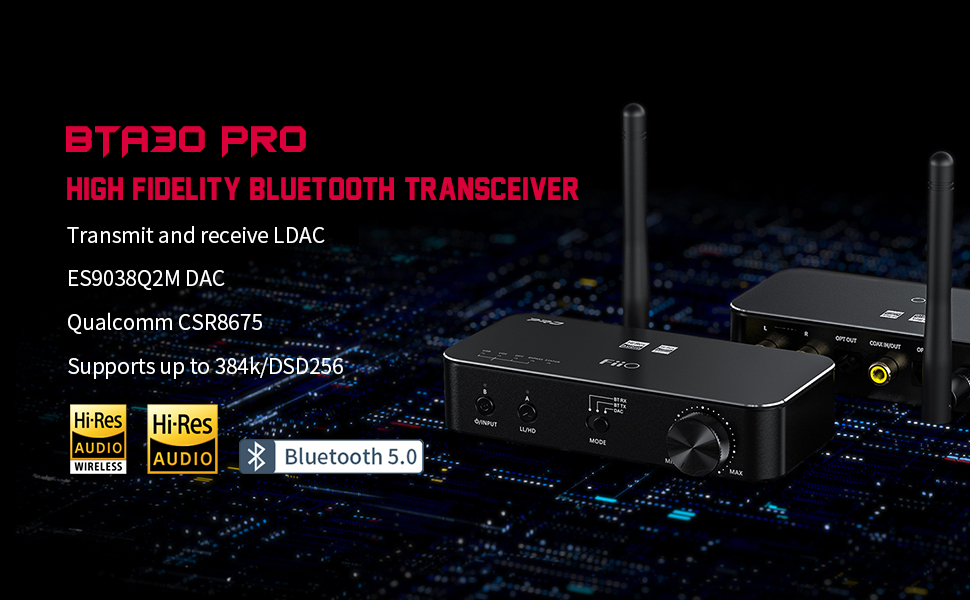
Not only does the BTA30Pro bluetooth transceiver have Dual Hi-Res Certifications, but it also can come true input and output at the same time through a new Bypass mode.
The BTA30Pro transceiver is even more versatile with the new Bypass mode, allowing you to connect to several different devices at the same time!
When in Bluetooth Transmitting Mode, Bypass mode allows for optical input to optical/Bluetooth output at the same time.
In DAC mode, Bypass mode makes possible optical input to optical output.
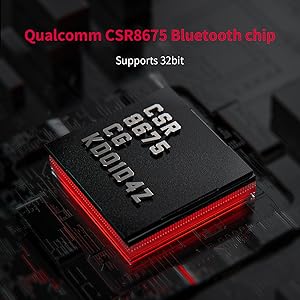

ES9038Q2M DAC chip
CSR8675 Bluetooth chip

XMOS decoding chip

Upsampling audio DSP chip
Three modes enough for lots of playings what your need

Turn on Bluetooth Receiving Mode (RX)
1. In Bluetooth Receiving Mode, connect your phone/music player to the BTA30Pro receiver via Bluetooth function, and the BTA30Pro connect to your non-Bluetooth music system with cable (like Optical/ Coaxial/Line-out) – giving your old setup a new life by being able to play wireless music.
PS: Supports LDAC/aptX/aptX HD/AAC high-definition Bluetooth formats.

Turn on Bluetooth Transmitting Mode (TX)
Connect the digital output of the TV/CD player/computer to the BTA30Pro bluetooth amplifier with cable (like USB/Optical/Coaxial), and use your device via bluetooth function (like your speaker/headphone) to connect with BTA30Pro receiver, which can transmit to your Bluetooth headphones (including the LDAC format with any input) for a truly cinematic listening experience.
PS: LDAC/aptX HD/aptX LL/SBC formats are supported; LDAC is supported through optical/coaxial/USB inputs.

Turn on Digital Decoding Mode
1. When connected to a computer or other devices with the appropriate cable, the BTA30 Pro amplifier can be used as a DAC to convert digital audio to high-quality analog signal for a serious upgrade to your sound.
PS:
(1)Coaxial input supports up to 384kHz/24bit and native DoP128; optical input supports up to 96kHz/24 bit; USB input supports up to 384kHz/32bit and DoP256.
(2)Supports UAC2.0 and driverless UAC1.0 (set on the app); RCA line output is possible from any DAC mode input.
(3)Coaxial input is not supported when using coaxial output.
(4)Bypass mode can only be used for optical input in transmitting and DAC modes.
2. Want to directly connect your DAC/audio decoders to any smartphone?
connect the optical out of the BTA30 Pro amplifier to the digital input of your external DAC to allow it to decode directly from your phone.
3. All connections in one:
RCA analog output, Optical/Coaxial output, Optical/Coaxial input, USB Type-C


Dual connections
RGB light indicator

Convenient intelligent interaction

Accessories included

FAQ for BTA30Pro bluetooth amplifier.
Q1. How to reset the device if problems happen? For example, it fails to power on or gets no sounds when playing music.
(1) [Fails to power on]: It does not support to be reset. If malfunction happens, unplug and plug the USB cable to restore to normal performance.
(2)[Gets no sounds out]: Please check it out on our official website by google 'fiio'.
ps:
Gudie guide, DAC driver download,firmware download link for BTA30 Pro, if you need them, also please check it out on our official website.
Q2. How to connect the BTA30Pro to two Bluetooth devices simultaneously?
(1)RX (Bluetooth receiving):
first connect the Device 1, and hold PAIR1 for about 3s to enter the pairing mode again. On Device 2, search for "BTA30 Pro" and complete the connection. Back to Device 1, select "FiiO BTA30 Pro" in the Bluetooth device list and complete the reconnection. You could also restart the BTA30 Pro after a successful pairing with Device 2.
(2)TX (Bluetooth transmitting):
connect the BTA30 Pro to the Bluetooth receiving device, Device 1 (PAIR1 is prior as default), and hold button C for about 3s to enter the pairing state again. The BTA30 Pro will automatically search for Device 2 and start to pair with it.
PS:When working in LDAC and aptX LL codec in TX mode, the BTA30 Pro cannot be connected to two Bluetooth devices simultaneously.
- Technical Specifications
-
Additional Information
Colour Black Warranty 1 year (local) Product Weight (g) 115 Availability Available Product Type DAC (Digital-Analog Converter) Features AAC, aptX, aptX HD, aptX Low Latency, Bluetooth, DSD, High-Res Audio Certified, LDAC, Music Streamer, Optical Input, Optical Output, SBC DAC ES9038Q2M Input Connectivity Bluetooth, Coaxial, Optical Output Connectivity TOSLINK Optical (SPDIF), Coaxial (SPDIF), RCA (Line-Out) Microphone None - User Reviews
-

(closed on Sundays & Public Holidays)

TREOO.com is operated by Treoo Group Pte. Ltd., based in Singapore, South-East Asia. We are Singapore's largest authorised online retailer, dealer & distributor over 300 audio brands with full local warranty. We only sell genuine products, or your money-back.
Established since 2008, we're the trusted name to provide recommendations for Headphones, Earphones, Speakers, DAC/Amplifiers, Streamers, Cables and more for both portable and home setup. We also offer repair services, and custom monitors/cables for professional studio use. We will soon be handling audio products in the resale market on our Audio Mart concept. We know what's best for everyone, because we are audio enthusiasts ourselves. Not sure what product you need? We'd love to recommend value-for-money and performance products, so Think Audio. Think TREOO.com.




2008-2024 © With Love TREOO GROUP PTE. LTD.
All Rights Reserved


